


Daniel Tiger for Parents
3.7258.00 Reviews
App Specs
- Version
- 2.0.0
- Updated On
- License
- Free
- Downloads
- 500,000+
- Developer
- PBS KIDS
- Categories
- Parenting
- Platform
- Android
Screenshots

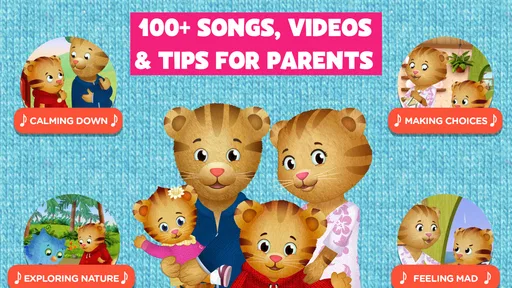
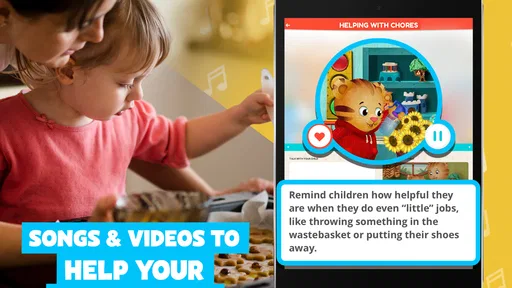
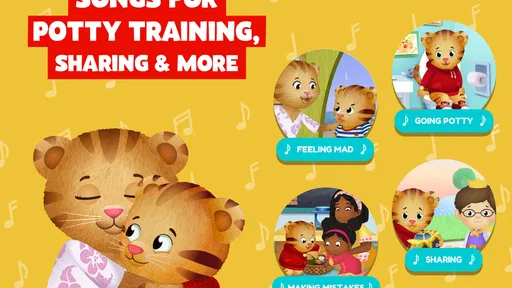
 Analysis by AppCompare
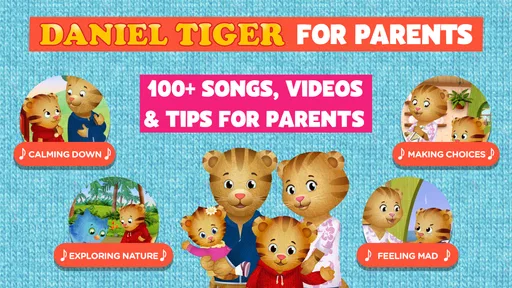
Daniel Tiger for Parents is the kind of parenting app I would open when I want a toddler to practice a small everyday habit without turning the moment into a lecture. It is built around Daniel Tiger, a familiar PBS KIDS character, and its focus is less on long lessons than on making ordinary situations easier for a young child to understand. I found that distinction important: this is not a full parenting course or a replacement for time together. It works best as a gentle prompt that gives a parent and child something concrete to watch, discuss, and repeat.
The app is free, aimed at Everyone, and comes from PBS KIDS. It has been available since February 1, 2017, and the current version is 2.0.0 for devices running Android 7.0 or later. Its audience is clearly families with toddlers and young children, especially parents who already know Daniel Tiger and appreciate the calm, lesson-based style associated with the character. The app has passed 500 thousand installs, with a 3.7 average from roughly 794 ratings and 258 written reviews. Those numbers suggest a useful but not universally loved experience, which matches my impression: the concept is appealing, while the practical value depends heavily on how a family uses it.
How I used it in a normal parenting routine
My preferred way to use this app is before or after a real-life situation, not as background entertainment. If a child is struggling with waiting, handling a transition, or understanding a simple social rule, I would choose a short session when everyone is calm. Afterward, I would connect what Daniel does with what is happening at home. That extra conversation is where the app becomes more than another screen.
A realistic example is getting ready to leave the house. A toddler may resist putting on shoes, become upset when playtime ends, or need help moving from one activity to another. Rather than handing over the device during the crisis, I would use the app earlier in the day, then refer back to the idea when the transition arrives. “Let’s try what Daniel practiced” gives the child a familiar reference without making the parent repeat a long explanation.
This timing also avoids one of the common mistakes with educational apps: expecting a child to absorb a lesson while already tired or frustrated. Daniel Tiger for Parents can support a conversation, but it cannot instantly solve a difficult mood. I got more from it when I treated it as preparation and reinforcement. The child watches, notices a recognizable feeling or problem, and then sees the same idea applied in daily life.
The basic workflow is simple. I would open the app with a specific situation in mind, let the child engage with the material, and then ask one or two plain questions. What happened? How did Daniel feel? What could we try next time? Keeping the discussion short matters. Toddlers usually respond better to one clear connection than to a long explanation about behavior.
Parents should also decide whether they want to sit beside the child. For independent distraction, the app may feel limited because its strongest value comes from interaction. Sitting together lets me pause naturally, name an emotion, and relate the lesson to something the child has already experienced. That makes it more demanding than simply opening a video, but also more useful when the goal is learning rather than quiet time.
Worth Reading Before You Choose

EA SPORTS FC Mobile 26 Is a Bigger Football Game, but It Takes Time

Flipboard Shows What News Apps Must Do Beyond the Feed

Switching to Android Auto Means Rethinking Your Driving Routine

Google Calendar Makes a Crowded Week Easier to Manage

Ludo King Makes the Most of the Minutes Between Plans

Baby Panda World Brings Quick Play to Modern Phones, but Its Game Library Feels Busy
What the app does well for toddlers
The Daniel Tiger setting is a strong advantage for children who already recognize the character. Familiarity lowers the barrier to participation, particularly for a child who is hesitant about a new educational tool. The tone feels approachable rather than academic, and the subject matter belongs to the world toddlers understand: feelings, routines, sharing, patience, and small social challenges.
I also like that the app fits short parent-child exchanges. A toddler does not need to sit through a formal lesson to benefit from a reminder about kindness or coping with a change. The parent can use a single idea as a starting point, then stop before attention fades. That makes it easier to include in a morning routine, a quiet afternoon, or a conversation after a preschool pickup.
Another practical strength is that the app is free. Parents can try it without committing to a subscription or buying a large package of content. That matters when a child’s interests change quickly. It also makes the app a reasonable first step for families who want to test whether character-led learning works for their child before looking at more elaborate educational services.
Still, I would not describe it as a complete toolkit for every parenting challenge. The content is intentionally narrow and child-friendly. Parents looking for detailed developmental guidance, behavior tracking, sleep support, or a structured curriculum will need something else. Daniel Tiger for Parents is best understood as a companion for everyday conversations, not a professional reference or an all-purpose family organizer.
Settings and preparation that make sessions smoother
Before giving the device to a toddler, I recommend checking the phone or tablet itself rather than expecting the app to manage every distraction. Lowering notifications, closing unrelated apps, and setting a comfortable volume can make a short session feel much calmer. A child who is repeatedly interrupted by messages or loud system sounds may focus on the device instead of the lesson.
It is also worth checking the device’s screen-time controls and deciding in advance how the app fits into the day. I would not wait until the child is deeply engaged to announce that the session is over. A simple warning, followed by a clear next activity, reduces the chance that the app becomes part of a power struggle. This is a parenting habit around the app, rather than a special feature inside it, but it makes a noticeable difference.
Because the minimum operating system is Android 7.0, families with an older device should check compatibility before planning around it. On a supported device, I would still make sure there is enough battery and that the screen is clean and easy for small hands to use. Toddlers can accidentally tap, swipe, or leave a screen quickly, so a parent nearby is more helpful than assuming the experience will run perfectly unattended.
I also suggest choosing the moment carefully. The app is less effective when a child is hungry, overtired, or already in the middle of a tantrum. In those situations, a hug, a snack, or a change of environment is usually more appropriate. The app works better as a calm rehearsal. That is one of the less obvious trade-offs: its subject may concern emotional regulation, but the child still needs to be ready to listen.
For families with several children, I would avoid assuming that one session serves everyone equally. A toddler may need repetition, while an older sibling may find the material too basic. Watching together can work if the older child is invited to model the behavior rather than dominate the conversation. Otherwise, individual short sessions are likely to be more productive than trying to turn the app into a group activity.
Repeatable patterns that save parents time
The most effective habit I found was pairing the app with one real routine. For example, if the family is working on taking turns, I would watch or discuss the relevant idea before a board game, snack sharing, or playground visit. If the focus is handling a transition, I would connect it to bath time or leaving the house. Repeating the same connection gives the child a chance to recognize the lesson outside the screen.
A second useful pattern is to ask the child to demonstrate rather than explain. Toddlers may not have the vocabulary to describe a feeling, but they can often show what someone could do next. After a session, I might ask the child to act out waiting, asking for help, or calming down. This turns passive viewing into practice and helps reveal whether the child understood the idea or simply enjoyed the character.
I would also keep the parent’s language consistent. Pick one short phrase that matches the lesson and use it during the week. Repeating a familiar phrase can be more effective than introducing a new explanation every time. The app supplies the memorable context; the parent supplies the continuity. That division of labor is why I would not judge the app only by how much a child does while holding the device.
Another efficient approach is to use it as a reset between activities, not as a reward for every desirable behavior. If the app is always offered after compliance, the child may focus on earning screen time instead of understanding the social or emotional idea. Using it occasionally as preparation keeps the lesson separate from a constant bargain. This is especially useful for parents who are trying to reduce negotiations around devices.
For a busy caregiver, I would create a small routine around the app: choose a topic before opening it, sit together briefly, ask one follow-up question, and name one moment later in the day when the idea appears. That workflow takes more intention than pressing play on a cartoon, but it avoids aimless screen use. It also gives the parent a clear stopping point, which is helpful when the child wants to continue simply because the device is available.
Where it falls short and when another option is better
The biggest limitation is depth. Daniel Tiger for Parents can introduce a useful idea, but it does not replace the repeated modeling, boundaries, and patience that behavior change requires. A child may enjoy the session and still refuse to share ten minutes later. That is not necessarily a failure of the app; it is a reminder that toddler learning is gradual and highly dependent on context.
I also would not choose it as the main option for a child who needs highly personalized support. Every toddler responds differently to characters, pacing, language, and repetition. Some children may engage immediately because Daniel feels familiar, while others may prefer hands-on play, picture books, or direct conversation with a parent. If your child becomes more frustrated by screens, a physical routine chart or role-play activity could be a better fit.
Compared with ordinary children’s videos, this app offers a clearer opportunity for discussion and practice, but it may feel less effortless. A video can occupy a child while a parent cooks; this app is more valuable when an adult is available to connect the lesson to real life. Compared with broad early-learning platforms, it is more focused on social and emotional situations, but it is not as wide-ranging for letters, numbers, puzzles, or creative activities.
Compared with parenting books or expert-led resources, it is easier for a toddler to approach but much less detailed for the adult. A book may explain why a behavior happens and provide several strategies, while this app gives the family a child-centered starting point. I would use both if needed: Daniel Tiger for a shared introduction, and a trusted parenting resource for the more difficult or persistent issue.
There is also a practical question about repetition. Repetition is helpful for toddlers, but adults may find the material predictable after several sessions. If a parent expects constantly new content or a deep progression from beginner to advanced skills, the experience may disappoint. Its strength is the familiar reminder, not an extensive course with increasingly complex stages.
Who should use it and who should skip it
I would recommend the app to parents of toddlers who already enjoy Daniel Tiger, families looking for a free way to start conversations about everyday behavior, and caregivers who are willing to sit with a child for at least part of the session. It is particularly suitable for a household that wants to rehearse routines before they become difficult, rather than reaching for a device only during a crisis.
I would be more cautious if your main goal is independent learning. The app may keep a child interested for a while, but its real value comes from the adult’s follow-up. I would also skip it if you need a comprehensive educational program, detailed parental tracking, or specialized advice for a serious developmental or behavioral concern. In those cases, a professional, a structured resource, or a different type of app is more appropriate.
Parents should also consider whether the child knows the character. Recognition is not required, but it can make the experience more inviting. If Daniel Tiger is unfamiliar or uninteresting to your child, the app’s central appeal may not translate. There is no reason to force it; a child-friendly book, pretend-play activity, or another familiar character may open the same conversation more naturally.
The age rating of Everyone makes the app approachable for family use, but that does not mean every toddler will use it in the same way. I would still preview the experience with the child and observe whether the tone, pace, and activities suit them. An age label helps set expectations, yet a parent’s knowledge of the child matters more than the label alone.
My final view after building it into a routine
After using Daniel Tiger for Parents as a conversation starter rather than a babysitter, I see a worthwhile free app with a deliberately modest role. It helps put familiar words and situations around the small challenges that fill a toddler’s day. The strongest results come from pairing a session with one routine, asking a simple follow-up question, and returning to the same idea later without making the child feel tested.
The 3.7 average rating reflects a reasonable middle ground in my view. The app has a clear audience and a friendly approach, but it will not satisfy parents who want a large, highly structured learning system or children who do not connect with the character. Its free price makes experimenting easy, while the supported Android 7.0 requirement keeps the technical decision fairly straightforward for families with a compatible device.
My recommendation is to try it with a specific parenting goal, not as a general-purpose entertainment download. Choose one situation, use the app during a calm moment, and watch what your child carries into the next real routine. The best way to use it is as a bridge from screen time to shared practice. If that is what your family needs, Daniel Tiger for Parents is a gentle and practical addition; if you need depth, personalization, or independent study, another resource will serve you better.
Pros
- Offers practical parenting tips inspired by Daniel Tiger episodes.
- Includes child-friendly activities that encourage emotional learning.
- Helpful reminders support routines such as bedtime and cleanup.
- Simple navigation makes the app easy for parents to explore.
- Trusted characters can make difficult conversations feel more approachable.
Cons
- Some features may require an internet connection to access fully.
- Content is mainly aimed at preschool families
- limiting its wider appeal.
- Parents may find repeated themes less useful over time.
- The app may encourage screen use during already busy family routines.
- Availability of certain content can vary by device or region.
FAQs for Daniel Tiger for Parents
What is Daniel Tiger for Parents, and who is it designed for?
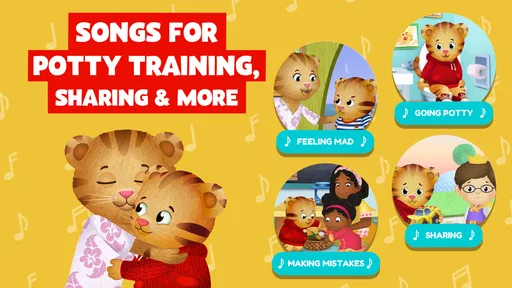
Daniel Tiger for Parents is a family-focused companion app based on the Daniel Tiger children’s television series. It is designed mainly for parents and caregivers of preschool-aged children who want practical ways to support emotional development, routines, and everyday learning. The app uses familiar characters, songs, and activities to help children understand feelings and handle common situations such as bedtime, sharing, waiting, or trying something new.
What kind of activities and parenting resources are included?
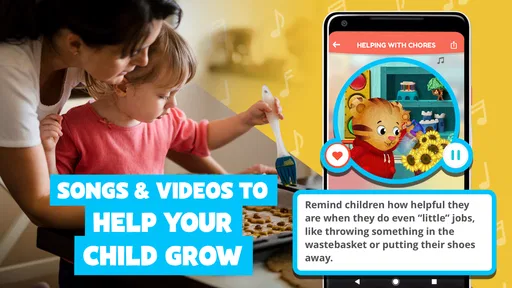
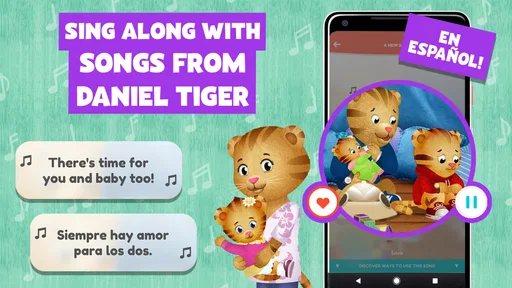
The app typically combines short videos, music, interactive activities, and parent-oriented suggestions inspired by situations featured in Daniel Tiger’s Neighborhood. Depending on the available version and platform, parents may find tools for discussing emotions, practicing social skills, preparing for routines, and encouraging independence. The content is intended to be used together with a child, rather than serving as a replacement for active parental guidance.
Is Daniel Tiger for Parents suitable for young children to use independently?
Although the app is created with preschoolers in mind, parents should generally use it alongside their children. Some activities may be simple enough for a child to explore, but younger users can benefit more when an adult explains the message and connects it with real-life experiences. Caregivers should also review the app’s settings and supervise use, especially if the device provides access to external links, purchases, or additional content.
Does Daniel Tiger for Parents require an internet connection or include in-app purchases?
Internet requirements and pricing can vary according to the app version, operating system, region, and current publisher policies. Some media may require an active connection, while certain features could be available only after downloading or purchasing additional content. Before installing, check the official Google Play or App Store listing for the latest information about subscriptions, one-time purchases, advertisements, offline access, and supported devices.
Can the app help children with emotions, behavior, and daily routines?
Daniel Tiger for Parents can be a useful conversation starter for helping preschoolers recognize emotions, express themselves, and practice positive responses to everyday challenges. Its songs and familiar stories make ideas easier for young children to remember, but results depend on consistent support at home. The app should complement, not replace, personal guidance from parents, educators, or qualified professionals when a child needs specialized developmental or emotional assistance.


